
The web browser has become one of the main places AI shows up. Since 2025, several companies have launched browsers built around an AI assistant, and the established browsers have added assistants of their own. Some only answer questions about the page you are reading. Others can take over the browser, clicking links and filling in forms to complete a task for you.
Key takeaways
- AI in the browser comes in three main forms: sidebar assistants, AI search in the address bar, and agent modes that operate the browser for you.
- Browser assistants are most useful for summarizing long pages, comparing information across tabs, handling simple repetitive chores and improving accessibility.
- Hidden instructions on web pages can manipulate AI assistants through prompt injection, a risk that is much higher for agent modes that can act.
- Keep control of anything involving money, passwords or personal data, and try agent modes on a separate browser profile that is not logged in to your accounts.
This guide explains the main types, what they are useful for, and why security researchers are urging caution with the more autonomous features.
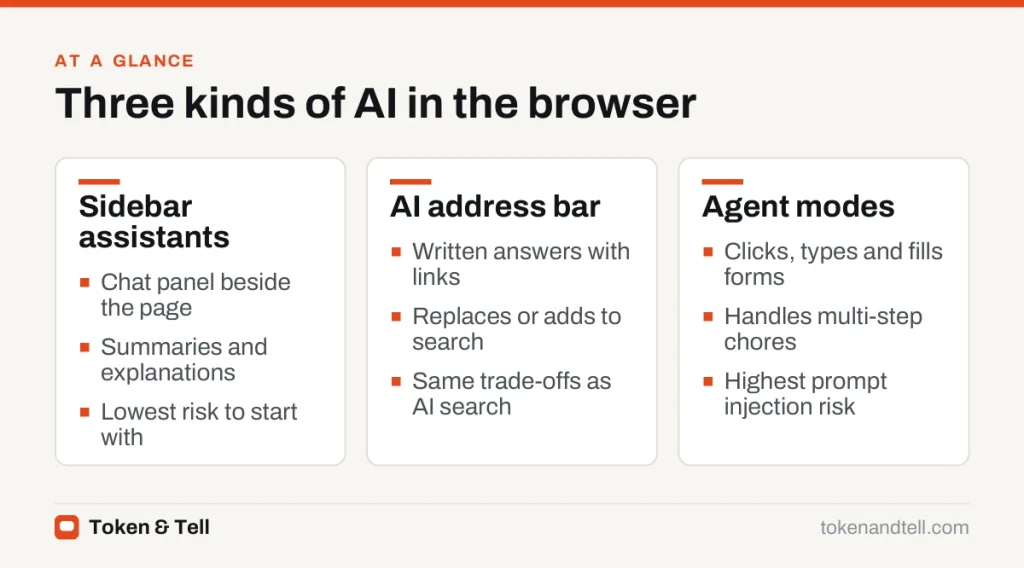
Three kinds of AI in the browser
Sidebar assistants
The simplest version is a chat panel next to the page. You can ask it to summarize an article, explain a term, pull out the key numbers from a report, or compare what several open tabs say. Microsoft Edge’s Copilot sidebar and Google’s Gemini in Chrome work this way, and most AI-first browsers include a similar panel.
AI search built into the address bar
Some browsers send what you type in the address bar to an AI answer engine instead of, or alongside, a traditional search engine. You get a written answer with links rather than a list of results. The trade-offs are the same as for AI search in general, which we cover in our comparison of AI search engines and traditional search.
Agent modes
The most ambitious feature is an agent that operates the browser for you. You describe a goal, such as “find a table for four on Saturday evening near the station” or “add everything on this recipe to my grocery basket,” and the assistant opens pages, clicks buttons and types into forms. Perplexity’s Comet, OpenAI’s ChatGPT Atlas and agent features in Edge and Chrome all offer versions of this, usually with limits on what they will do without asking.
Agent modes are an example of the broader shift to AI agents: systems that plan and act over several steps rather than replying once.
Where AI browsers genuinely help

Long pages are the obvious use. Terms of service, research reports and product manuals can be summarized, with the assistant pointing to the relevant section. Comparing tabs is another: asking “which of these three laptops has the longest battery life and what does each cost?” saves switching back and forth.
Agent modes can handle simple, low-stakes chores, such as collecting information from several pages into a list. And for accessibility, reading pages aloud, simplifying dense text and describing images can make the web easier to use.
The security problem: prompt injection
An AI assistant that reads web pages can be manipulated by those pages. A website, email or document can contain hidden instructions written for the AI rather than for you, such as white text on a white background telling the assistant to open another site or reveal information from your other tabs. This is called indirect prompt injection.
The risk is much higher for agent modes, because the assistant can act. In 2025 the browser maker Brave published research showing how hidden text on a page could redirect an AI browser’s agent, and security groups rank prompt injection as the top risk for applications built on language models. Browser makers have added defenses, such as asking for confirmation before sensitive actions and limiting what agents can do while logged in to your accounts, but no company claims the problem is solved.
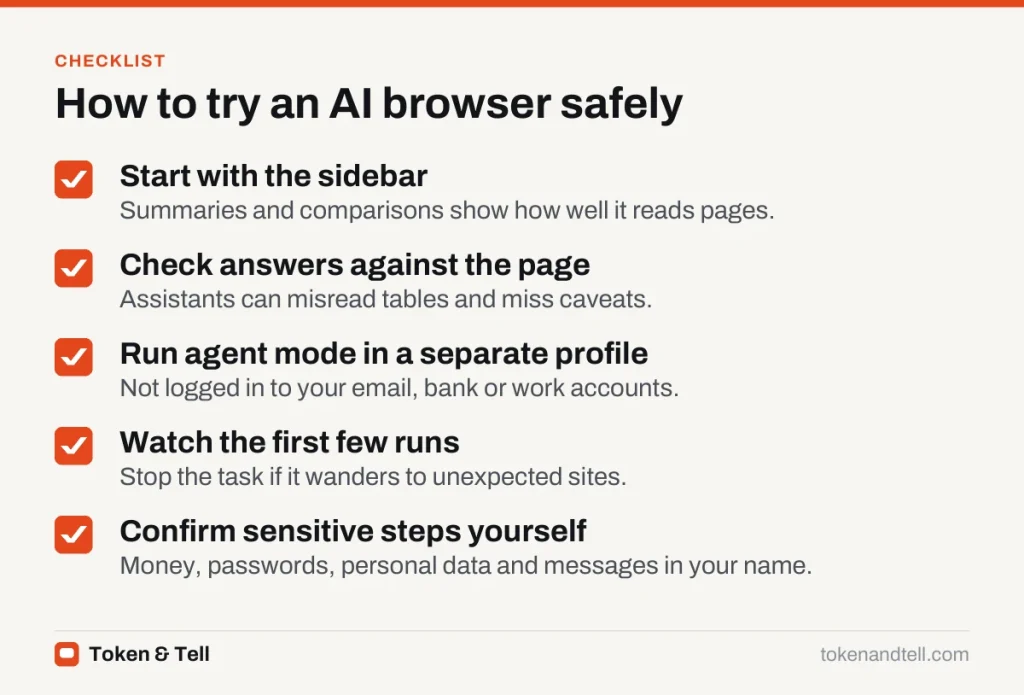
A sensible rule is to let AI agents browse for you on low-stakes tasks and stay in control of anything involving money, passwords, personal data or messages sent in your name. Confirm each of those steps yourself.
Privacy: what the browser sees
A browser assistant can only help with a page if the page content is sent to the AI model, which usually runs in the cloud. Depending on the product and your settings, that may include:
- The text of the pages you ask about
- Your questions and the assistant’s answers
- In some products, a memory of your browsing to personalize future answers
Before relying on an AI browser, check whether browsing memory is on, how long conversations are kept, and whether they can be used to improve the company’s models. Avoid using assistants on pages showing medical records, financial accounts or confidential work documents unless your organization has approved the tool. Our AI chatbot privacy guide covers the settings worth changing.
How to try one sensibly
Start with the sidebar. Summaries and comparisons show you how well the assistant reads pages, and there’s little risk. Check its answers against the page, though, because assistants can misread tables and miss caveats.
If you try agent mode, run it in a separate browser profile that isn’t logged in to your email, bank or work accounts. That limits what a manipulated agent could reach. Most agent modes show each step, so watch the first few runs and stop the task if it wanders to sites you didn’t expect. Keep the browser updated, too, since security fixes for these features arrive often.
Should you switch browsers?
For most people, the assistant built into the browser they already use is enough to find out whether AI browsing is useful for them. The dedicated AI browsers are worth trying if you do a lot of research across many pages. Treat agent modes as early technology: impressive on simple tasks, still unreliable on long ones, and not yet something to trust with your accounts unsupervised.
Frequently asked questions
Are AI browsers safe to use?
Sidebar features that summarize and compare pages carry little risk. Agent modes that click and type for you can be manipulated by hidden instructions on web pages, so keep them away from money, passwords and your accounts.
What is prompt injection in an AI browser?
It is when a web page, email or document contains hidden instructions aimed at the AI, such as white text telling it to open another site or reveal information. Security groups rank it as the top risk for applications built on language models.
Can an AI browser assistant see my browsing?
It sends the content of pages you ask about, and your questions, to an AI model, usually in the cloud. Some products also keep a memory of your browsing, so check the memory, retention and training settings.
Do I need a new browser to use AI?
Not necessarily. The assistant built into the browser you already use is enough for most people to find out whether AI browsing helps them.
Sources
- LLM01:2025 Prompt Injection, OWASP Gen AI Security Project
- Agentic browser security: indirect prompt injection in Perplexity Comet, Brave, August 2025
- Introducing ChatGPT Atlas, OpenAI, October 2025
- Comet browser, Perplexity