Machine translation has improved dramatically over the past decade. Today you have two broad options: dedicated translation services such as DeepL and Google Translate, and general AI assistants such as ChatGPT, Claude and Gemini, which can translate as one of many skills. Both can produce excellent results. They differ in how predictable they are, how much you can steer them, and how they handle your data.
Key takeaways
- DeepL and Google Translate give predictable, faithful translations and keep document layouts, which suits contracts, instructions and files.
- AI chatbots like ChatGPT, Claude and Gemini are better when tone, audience or an explanation of word choices matters.
- Chatbots can skip, paraphrase or add content without saying so, so check names, numbers, dates and negation in any machine translation.
- Use a qualified human translator for legal, medical, safety and immigration documents, and keep confidential text out of free tools.
How modern translation works
Both kinds of tool rely on neural networks trained on huge amounts of text. Google moved Google Translate to neural machine translation in 2016, which made its output far more fluent. DeepL launched in 2017 with a similar approach and built a reputation for natural-sounding European-language translations. Large language models translate as a side effect of being trained on text in many languages, and they can also follow instructions about tone, audience and terminology.
The comparison at a glance
| Dedicated translators (DeepL, Google Translate) | AI chatbots (ChatGPT, Claude, Gemini) | |
|---|---|---|
| Speed and simplicity | Paste text, get a translation | Needs a prompt, but flexible |
| Consistency | Very predictable output | Can vary between attempts |
| Tone and style control | Limited (formality settings, glossaries) | Strong: audience, register, length |
| Explaining choices | No | Can explain idioms and alternatives |
| Document formatting | Built-in file translation keeps layout | Varies; formatting can be lost |
| Rare languages | Google covers the most languages | Quality drops for low-resource languages |
| Risk of additions | Low | Can paraphrase, omit or add content |
When a dedicated translator is the better choice
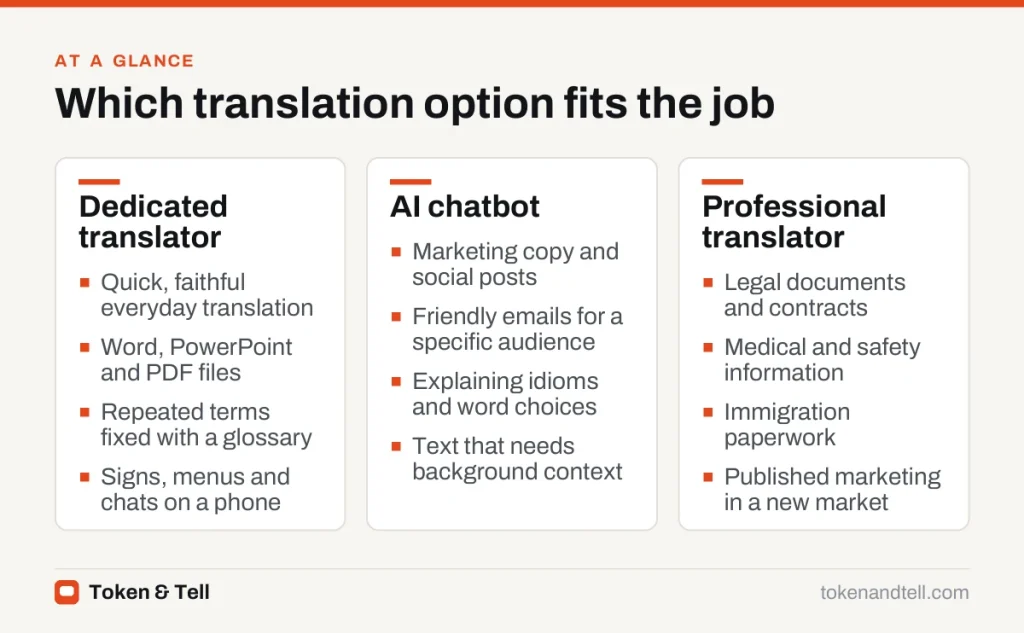
Dedicated tools are built to translate, not to rewrite. General chatbots sometimes smooth over awkward passages, drop details or add explanations, which is a problem for contracts, instructions and anything that will be checked line by line. If you need a faithful, sentence-by-sentence translation, use a dedicated tool.
The same goes for whole documents: DeepL and Google Translate can translate Word, PowerPoint and PDF files while keeping most of the layout. If you use the same terms over and over, glossary features let you fix how product names or technical terms come out. And on a phone, Google Translate’s camera translation of signs and menus, and its conversation mode, are mature and fast.
When an AI chatbot is the better choice
Chatbots win when tone matters more than literal accuracy. Marketing copy, social posts and friendly emails often need adapting, not just translating, and you can ask a chatbot to “translate for a Brazilian audience, informal, under 50 words.”
They’re also better when you want to understand the text and not just read it. A chatbot can explain why a phrase was translated a certain way, what an idiom means or how formal a greeting sounds. And because it’s a conversation, you can give background about the company, the reader and earlier messages.
If you are learning the language, chatbots are also useful practice partners, as we explain in our guide to learning a language with AI.
Accuracy: what to watch for
All machine translation can make errors that are hard to spot if you do not read the target language:
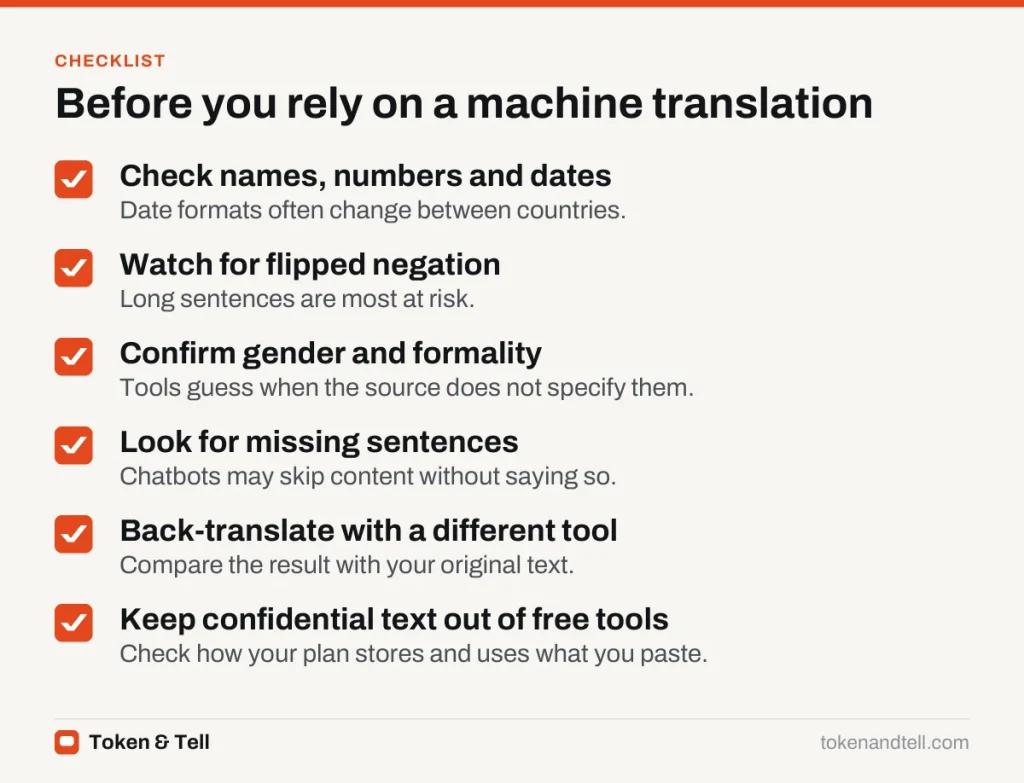
- Names, numbers and dates occasionally change, especially date formats between countries.
- Negation can flip meaning in long sentences.
- Gender and formality may be guessed wrongly when the source language does not specify them.
- Omissions are more common with chatbots, which may skip a sentence without saying so.
A useful check is back-translation: translate the result back into your language with a different tool and compare it with the original. It will not catch everything, but it reveals missing sentences and reversed meanings.
Some jobs still need a qualified human translator: legal documents, medical information, safety instructions, immigration paperwork and published marketing in a new market. Many official bodies also require certified translations, which no AI tool can provide.
Privacy and confidential text
Free translation services and chatbots may keep what you paste. Paid business plans of DeepL, Google and the main AI assistants generally offer stronger data protections, such as not storing texts or not using them for training, but check the specific terms. Do not paste confidential contracts, patient information or personal documents into a free tool unless you are sure how the text is handled.
Which should you use?
For quick, faithful translation of everyday text and documents, start with DeepL or Google Translate. For text where tone and audience matter, or when you want explanations, use a chatbot and give it clear instructions. For anything with legal, medical or financial consequences, use AI only to get the gist, and rely on a professional for the final version.
Frequently asked questions
Is DeepL better than Google Translate?
DeepL has a reputation for natural-sounding translations between European languages, while Google Translate covers the most languages and has mature camera and conversation features on phones. Both translate whole documents while keeping most of the layout.
Is ChatGPT good for translation?
It can be very good when you want to control tone, audience or length, or want explanations of idioms. It is less predictable than a dedicated translator and can paraphrase, omit or add content, so check the result carefully.
How can I check a translation if I don't speak the language?
Use back-translation: translate the result back into your language with a different tool and compare it with the original. It will not catch everything, but it reveals missing sentences and reversed meanings.
Is it safe to paste confidential documents into a translator?
Free translation services and chatbots may keep what you paste. Paid business plans generally offer stronger protections, but check the specific terms before pasting contracts, patient information or personal documents.
Sources
- A Neural Network for Machine Translation, at Production Scale, Google Research, 2016
- Translate documents, DeepL Help Center
- Translate documents or write in a different language, Google Translate Help