
Microsoft Copilot and ChatGPT often get lumped together, and for good reason: Microsoft is a major investor in OpenAI, and Copilot has used OpenAI’s models alongside Microsoft’s own. But they are different products, built for different situations. Choosing between them depends less on which is “smarter” and more on where you work and what data you need it to reach.
Key takeaways
- Choosing between Copilot and ChatGPT depends less on which is smarter and more on where you work and what data you need it to reach.
- ChatGPT suits people who want one flexible assistant for many tasks and use a mix of tools rather than mainly Microsoft Office.
- Copilot fits best when your day happens in Outlook, Teams, Word and Excel, or your organization already uses Microsoft 365.
- For work, use the tool your organization has approved, and avoid pasting company documents into a personal account of either.
Features and plans in this area change often. This comparison focuses on the lasting differences; check each provider’s site for current details.
What each one is
ChatGPT is OpenAI’s standalone assistant, available on the web, desktop and mobile apps. It is a general-purpose tool for writing, analysis, coding, research, image generation and voice conversation, with paid tiers that add more capable models and higher limits.
Microsoft Copilot is really a family of assistants under one name:
- Copilot, the consumer version, is a free chatbot on the web, in Windows, in the Edge browser and in mobile apps.
- Copilot in Microsoft 365 apps is an assistant inside Word, Excel, PowerPoint, Outlook and Teams, included with usage limits in some consumer Microsoft 365 subscriptions.
- Microsoft 365 Copilot is a paid add-on for organizations. It can work across a company’s email, files, chats and meetings, under the organization’s security controls.
How they compare
| ChatGPT | Microsoft Copilot | |
|---|---|---|
| Best at | General-purpose chat, writing, analysis, creative work | Working inside Microsoft apps and Windows |
| Office integration | Via file uploads and connectors | Built into Word, Excel, PowerPoint, Outlook, Teams |
| Work data access | Connectors to some services on business plans | Business version works across your organization’s Microsoft 365 data |
| Web search | Built in | Built in, powered by Bing |
| Customization | Custom GPTs, projects, memory | Varies by version; business tools for building agents |
| Free tier | Yes, with limits | Yes, with limits |
When ChatGPT is the better fit
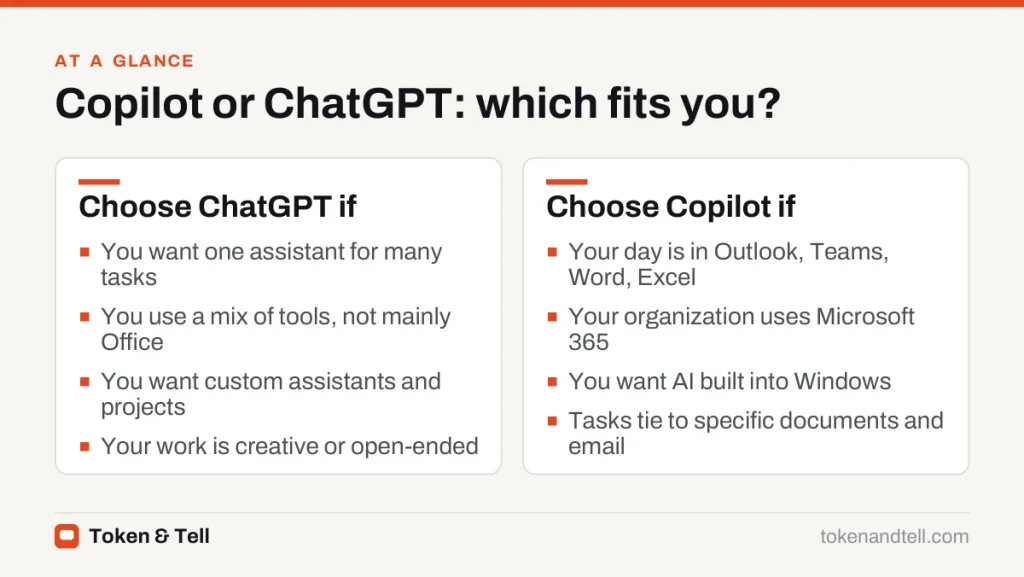
- You want one flexible assistant for many tasks, from brainstorming to data analysis to learning.
- You use a mix of tools, not mainly Microsoft Office.
- You want features like custom assistants and projects that keep instructions and files together for repeated tasks.
- You work on creative or open-ended projects where a conversational back-and-forth matters more than document integration.
When Copilot is the better fit
Copilot makes the most sense if your day happens in Outlook, Teams, Word and Excel. Summarizing a long email thread in Outlook, drafting a document from meeting notes in Word, or asking Excel to analyze a table without copying data elsewhere saves real time.
It’s also the natural choice if your organization already uses Microsoft 365. The business version respects existing permissions, so it only shows people content they could already access, and it’s covered by the organization’s data protection agreements. And if you want AI in Windows itself, for help with settings or the content on your screen, Copilot is built in.
Privacy and work data
For personal use, both offer settings to control whether conversations are kept and used to improve models. Review them, as covered in our AI chatbot privacy guide.
For work, the question is simpler: use the tool your organization has approved. Microsoft 365 Copilot for business and ChatGPT’s business plans both commit not to train on customer data by default and offer admin controls. Pasting company documents into a personal account of either is where problems start.
If you’re still unsure, write down the three tasks you most want AI help with this week. If they involve documents and emails that already live in Microsoft 365, try Copilot there first. If they’re standalone tasks, such as writing, thinking through a problem or analyzing a file, ChatGPT is usually the more flexible place to start.
Can you use both?
Many people do. A common pattern is Copilot inside Office apps for tasks tied to specific documents and emails, and a standalone assistant, ChatGPT or another, for everything else. If you are paying, compare what you would actually use in each plan before subscribing to both. Our guide to free vs paid AI plans can help you decide whether an upgrade is worth it.
Frequently asked questions
Is Microsoft Copilot the same as ChatGPT?
No. Microsoft is a major investor in OpenAI and Copilot has used OpenAI models alongside Microsoft's own, but they are separate products built for different situations.
Is Copilot free?
The consumer Copilot chatbot has a free tier with limits, some consumer Microsoft 365 subscriptions include Copilot in Office apps with usage limits, and Microsoft 365 Copilot for business is a paid add-on.
Which is better for work documents?
If your documents and email live in Microsoft 365, Copilot works inside Word, Excel, Outlook and Teams and respects existing permissions. For standalone writing and analysis, ChatGPT is usually more flexible.
Can I use Copilot and ChatGPT together?
Yes. A common pattern is Copilot inside Office apps for tasks tied to specific files and emails, and a standalone assistant for everything else.
Sources
- Microsoft Copilot, Microsoft
- Microsoft 365 Copilot overview, Microsoft Learn
- ChatGPT plans and pricing, OpenAI
- Enterprise privacy at OpenAI, OpenAI